Part 1 — The Letter That Changed Everything
The first sentence of Larry’s letter made me read it twice.
Sarah, before I thank you, I owe you an apology.
I sat at my kitchen table with the envelope beside me and stared at those words.
The letter had arrived six days after Larry’s funeral.
Thick white paper. My name written across the front in the uneven handwriting I recognized from the hospice paperwork. The postmark was dated the day before he died.
When I first pulled it from the mailbox, I had smiled.
Of course Larry had written me a final letter.
That was exactly the sort of thing he would do.
This was a man who thanked me three times every morning for a cup of coffee that cost less than four dollars. A man who once apologized because I had to wait thirty seconds while he searched through his coat for a pen.
I expected a goodbye.
Maybe a joke.
Maybe one last complaint about my shoes.
Instead, his next sentence made my stomach turn cold.
Nobody was going to bury me as an unidentified man, Sarah. That part was never true.
I stopped breathing.
“No.”
The word slipped out before I realized I had spoken.
I kept reading.
The illness was real. The liver failure was real. The doctors really did tell me I probably had a month. But the reason I gave you for marrying me wasn’t the whole truth.
My chair scraped against the floor as I stood.
For a moment, anger came faster than grief.
“What did you do, Larry?”
There was no answer.
There would never be another answer spoken in his dry, amused voice.
Larry was gone.
I couldn’t call him.
I couldn’t march into his hospice room and demand an explanation.
I couldn’t make him sit there while I told him how cruel it was to leave me with questions he no longer had to face.
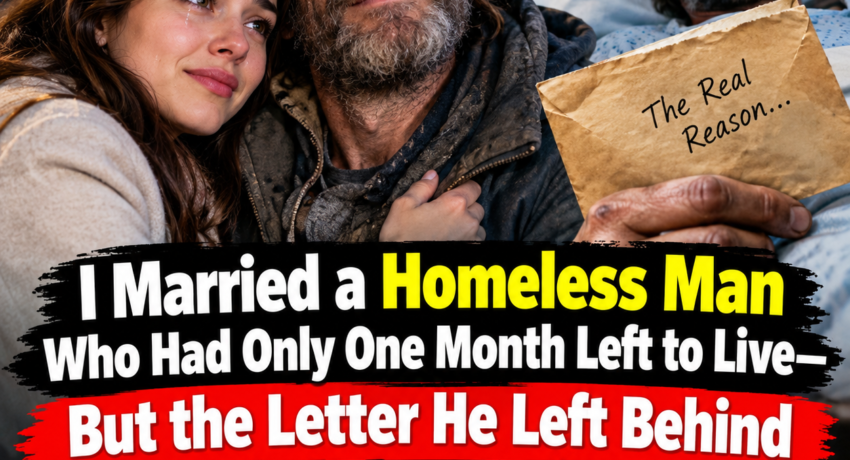
Less than a month earlier, I had believed I married a dying homeless man because nobody else would claim his body after death.
Now Larry was telling me that had never really been the reason.
And suddenly I was forced to question the strangest, most meaningful three weeks of my life.
Part 2 — The Man Outside the Subway
I had known Larry for almost two years before I became his wife.
Every weekday morning, I stopped at a coffee kiosk outside the subway station on my way to work.
One coffee for me.
Cream, no sugar.
One for Larry.
Black.
Always black.
He usually sat near the station entrance with an old backpack beside him and layers of clothing that never quite seemed warm enough in winter.
Larry was homeless, although he hated being described as if homelessness were the only fact worth knowing about him.
He never begged from me.
That was one of the first things I noticed.
If I brought him a sandwich, he accepted it.
If I brought socks, he thanked me.
If I handed him information about a shelter or outreach program, he listened politely.
But he never once stretched out his hand and asked me for money.
Mostly, we talked.
Some mornings it was the weather.
Other mornings it was politics at the office, although Larry knew almost nothing about my company and still managed to have opinions about everyone who worked there.
Once, after I arrived wearing a new pair of heels, he stared at them and said, “Those shoes were clearly designed by someone with a personal grudge against women.”
“They’re fashionable.”
“They look like punishment.”
“You know nothing about fashion.”
“I know you’re limping.”
I looked down.
He was right.
Larry smiled smugly.
That was our friendship.
Five minutes at a time.
A coffee.
A joke.
A complaint.
Then I disappeared underground and returned to the life waiting for me upstairs.
Until one freezing Tuesday morning.
I came around the corner carrying our coffees and saw the piece of cardboard resting across Larry’s knees.
The words were written in black marker.
MARRY ME. I HAVE ONE MONTH LEFT TO LIVE.
I stopped walking.
At first, I thought it was one of his jokes.
Then I saw his face.
Larry looked terrible.
His skin had taken on a yellowish tone. His cheeks seemed hollow. When I handed him his coffee, his fingers shook badly enough that some of it spilled through the lid.
“What is this?” I asked.
He glanced at the sign.
“My marriage proposal.”
“Larry.”
He looked away.
The traffic kept moving around us. People hurried past carrying briefcases and backpacks, barely glancing at the dying man holding the strangest proposal sign in the city.
Finally, he said, “The clinic thinks I’ve got about a month.”
Everything around me seemed to go quiet.
“What?”
“Liver failure.”
I sat beside him without caring that the concrete was freezing.
“Larry…”
“Don’t.”
“Don’t what?”
“Look at me like that.”
“Like what?”
“Like I’m already dead.”
Even then, somehow, he made me laugh.
But the sign remained between us.
I pointed at it.
“Why marriage?”
Larry wrapped both hands around the coffee.
For the first time that morning, he stopped trying to be funny.
“I don’t want to die belonging to nobody.”
My chest tightened.
“You don’t belong to nobody.”
“That sounds good when you say it.”
His voice was soft.
“Forms don’t care what sounds good.”
Then he explained—or at least, I believed he explained.
He said he had no legal family.
No spouse.
No children.
No sibling willing or able to handle things after his death.
He told me that eventually some county employee or institution would decide what happened to his remains.
“I know it sounds stupid,” he said.
“It doesn’t.”
“I just want one person who can say, ‘That’s my husband. I’ll take care of him.’”
I stared at him.
I was single.
Larry was dying.
And I had always been the kind of person who felt calmer when there was a problem I could solve.
Larry knew that.
I didn’t understand how well he knew it until later.
Two days after his proposal, we went to the courthouse.
Part 3 — Eleven Minutes as Husband and Wife
Larry wore a clean blue button-down shirt someone at the shelter had found for him.
I wore the navy dress I normally saved for important office meetings.
Neither of us had rings.
When the clerk asked about them, Larry patted his pockets dramatically.
“Could’ve sworn I put the diamonds in here.”
I laughed.
The clerk did too.
Eleven minutes later, Larry and I were legally married.
It was probably the least romantic wedding that courthouse had ever seen.
No flowers.
No family.
No photographer.
No vows beyond what the law required.
And yet Larry’s hands shook so badly when he signed the certificate that I had to steady the paper.
“You’re nervous,” I teased.
“I’m dying. I’m allowed to be nervous.”
I accepted that explanation.
Why wouldn’t I?
Everything seemed explainable by his illness.
His shaking hands.
The way he stared at the certificate after the clerk handed it to him.
The care with which he folded his copy and slipped it into his coat.
When I said, “You’re acting like this is a real wedding,” Larry became strangely quiet.
Then he smiled.
“First marriage. Let me enjoy it.”
I laughed.
I didn’t understand what he meant.
Not then.
Our marriage lasted exactly three weeks.
Three weeks of hospice visits.
Three weeks of forms and nurses and medications.
Three weeks in which I apparently decided a dying man required six months’ worth of toiletries.
I bought him new socks.
A blanket.
A phone charger.
Lip balm.
Hand cream.
Books he never finished.
Every time I entered his room carrying another bag, Larry would sigh.
“Sarah.”
“What?”
“Sit down.”
“In a minute.”
“There is always a minute later with you.”
“I just need to talk to the nurse.”
“Sit.”
“After I fix this.”
He would shake his head.
I thought I was helping.
And I was.
But I was helping in the only language I understood.
Doing.
Solving.
Organizing.
On the final Tuesday of his life, I brought our usual coffees.
Mine with cream.
His black.
“You staying?” he asked.
“Five minutes.”
He rolled his eyes.
“Generous.”
I stayed twelve.
At the time, twelve minutes felt insignificant.
Later, I understood those twelve minutes were probably worth more to Larry than everything else I carried through that hospice door.
Exactly three weeks after our courthouse wedding, I sat beside his bed as his breathing slowed.
Then stopped.
I held his hand until the nurse quietly told me he was gone.
And because I believed the story Larry had told me, I handled everything afterward exactly as he had hoped.
His death certificate.
The funeral.
His few belongings.
His final paperwork.
I stood there as his wife and made sure Larry left the world with someone saying his name.
I thought that was why he had married me.
Until the letter arrived.
Part 4 — “Ask for Margaret”
I returned to the letter.
Larry had written:
If I gave you a problem you could fix, I knew you would fix it.
That sentence hurt more than the lie itself.
Because he was right.
Over two years, Larry had watched me respond to everything with solutions.
Cold?
Find a shelter.
Hungry?
Buy food.
Shoes worn through?
Replace them.
No phone?
Find a charger.
Bad weather?
Call outreach programs until somebody answered.
I had spent so much time trying to improve Larry’s circumstances that I had never considered what he might have learned about me in return.
He knew exactly which version of his need I would understand.
A bureaucratic problem.
A legal problem.
A dying man afraid his body would be mishandled.
Those things could be solved.
Loneliness was harder.
At the bottom of the first page, Larry had written:
Before you decide what kind of fool I was, go back to the courthouse. Ask for Margaret. Tell her you were my wife.
I almost threw the letter away.
For an hour, I paced my apartment.
I was angry.
Embarrassed.
Heartbroken.
Part of me felt manipulated.
Another part needed to know what Larry had believed was important enough to send me back there after his death.
So I went.
The courthouse looked exactly the same as it had three weeks earlier.
Couples sat in rows of plastic chairs.
A bride in a white jumpsuit checked her lipstick while her fiancé held a bouquet.
A toddler crawled beneath chairs while his father tried to catch him.
Life was happening everywhere.
Weddings beginning.
Names being joined.
Promises being made.
And suddenly I remembered Larry sitting in that same waiting area rubbing his palms against his pants.
“You’re shaking,” I had said.
“I’m dying. I’m allowed.”
Standing there now, I wondered if illness had caused those nerves at all.
At the records desk, I asked for Margaret.
An older woman wearing bright red glasses looked up from her computer.
“Yes?”
“My name is Sarah.”
She waited.
“I was Larry’s wife.”
Everything about her changed.
Her hands stopped.
Her expression softened.
“Larry?”
I nodded.
“He died last week.”
Margaret pushed back her chair.
“Oh, sweetheart.”
Before I understood what was happening, she had come around the desk and hugged me.
I stood stiffly inside her arms.
When she stepped away, her eyes were wet.
“I knew he was sick,” she said. “I didn’t realize he had so little time.”
I stared at her.
“You knew Larry?”
She frowned.
“Of course.”
“How?”
Margaret hesitated as though the answer should have been obvious.
Then she said, “He worked here.”
I actually laughed once.
Not because it was funny.
Because my mind refused to accept it.
“Larry?”
“For twenty-eight years.”
“Here?”
“Yes.”
I thought of his old coat.
His cardboard sign.
The subway entrance.
The backpack that contained almost everything he owned.
“What did he do?”
“Marriage licenses, mostly.”
Margaret removed her glasses.
“He really never told you?”
“No.”
A sad smile crossed her face.
“That sounds like Larry.”
Part 5 — Hundreds of Weddings, Never His Own
Margaret led me down a hallway to one of the courthouse’s small civil ceremony rooms.
I recognized the wooden arch immediately.
“This is where Larry and I got married.”
“I know.”
I turned.
“You know?”
“He came here the afternoon before your ceremony.”
“Why?”
Margaret smiled faintly.
“He said he was nervous.”
I almost laughed.
“A man who worked around weddings for nearly thirty years?”
“Exactly what I told him.”
She walked toward a cabinet, unlocked the bottom drawer, and pulled out a heavy binder.
“He sat in that chair for almost an hour.”
She pointed beside the arch.
“Just looking around.”
My throat tightened.
Margaret opened the binder.
Inside were old marriage records protected by clear plastic sleeves.
She turned to one.
Two names appeared at the top.
A wedding from decades earlier.
Near the bottom was a signature.
Larry.
Beside it was one word.
Witness.
Margaret turned the page.
Another couple.
Larry’s signature.
Witness.
Another page.
Another year.
Larry again.
Witness.
I stopped her.
“What is this?”
“People would sometimes come here without friends or relatives,” Margaret explained. “They needed someone to witness the ceremony.”
She touched one of Larry’s signatures.
“He hated the idea of anybody getting married with no one beside them. So he would step out from behind the counter and stand there.”
She turned more pages.
Different couples.
Different years.
The same narrow L.
The same uneven y I had seen on his letter.
“How many?”
“Hundreds, probably.”
Margaret smiled.
“He used to joke he’d attended more weddings than anyone in the courthouse without ever having to remember an anniversary.”
A laugh escaped me.
Then another question came.
“Was Larry ever married?”
Margaret’s smile faded.
She closed the binder.
“Once.”
My heart thudded.
“To whom?”
Margaret looked directly at me.
“You.”
I sat down.
For twenty-eight years, Larry had watched people walk through that building carrying separate names and leave legally connected to another human being.
When they had nobody there to stand for them, Larry stepped forward.
He signed.
Witness.
Again.
Again.
Again.
His name was recorded beside hundreds of beginnings.
But never once beside the word husband.
Never once beside spouse.
Until me.
Margaret opened another drawer.
“There’s something else.”
She pulled out a clear sleeve containing a copy of our marriage certificate.
“Larry asked me to keep this accessible after the marriage was officially recorded. He said if you ever came asking for me, I should show you.”
There were our names.
Sarah.
Larry.
And beside his:
Spouse.
My eyes blurred.
I remembered his shaking hand.
The way he had folded his certificate.
The way I joked that he was behaving as though it were a real wedding.
And his answer.
First marriage. Let me have my nerves.
My chest hurt.
“Why me?” I whispered.
Margaret sat beside me.
I told her about the letter.
The burial story.
Larry’s confession that he had turned loneliness into a practical problem because he knew I would respond to practical problems.
Margaret didn’t defend him.
“That wasn’t fair to you.”
I looked at her.
“He should have told you the truth.”
“Then why didn’t he?”
She glanced toward the marriage certificate.
“Larry could ask for coffee. He could ask for socks. He could ask you to call a shelter.”
Her voice softened.
“But asking another human being to choose him simply because he was lonely?”
She shook her head.
“I don’t think he ever learned how.”
I stared at the word spouse.
“What was I actually saying yes to?”
Margaret looked toward my purse.
“I think Larry wanted to answer that himself.”
The rest of his letter was still inside.
Part 6 — What Larry Really Wanted
I left the courthouse.
I intended to go straight home.
Instead, when the subway reached Larry’s old stop, I got off.
The coffee kiosk was still open.
The woman behind the counter recognized me.
“Two?”
My throat tightened.
For two years, the answer had always been yes.
I looked toward the empty place outside the station.
Then nodded.
“Two.”
She handed me mine with cream.
Larry’s black.
I carried both cups outside.
Then I sat where he used to sit.
It was strange how ordinary the sidewalk looked without him.
People rushed toward trains.
Cars moved through the intersection.
A delivery cyclist nearly hit a pedestrian.
The entire city continued as though Larry had never been there.
I placed his coffee beside me.
Then I opened the next page of his letter.
I didn’t need a wife to prove that my life mattered.
I swallowed.
Beneath it:
But before I left, I wanted to know what it felt like once to have someone willingly use that word with me.
My eyes filled.
I whispered, “Then why didn’t you just tell me?”
As if he had heard me, the next sentence answered.
Because if I had told you the truth, you might still have said yes. And then I would have had to sit there and listen while you decided whether loneliness was a good enough reason.
That was Larry.
He could face death more easily than pity.
He had spent years being looked through.
Stepped around.
Reduced to a problem.
A homeless man.
An old man.
A sick man.
A man who needed something.
He could not bear to ask me, directly:
Would you choose me?
So he had turned loneliness into paperwork.
The next line read:
I made it easier for you by giving you something to fix. You deserved the truth. I’m sorry.
I pressed my fingers against my eyes.
“You should’ve told me.”
People passed.
Nobody paid attention.
For once, I understood how Larry could sit there while an entire city moved around him.
I kept reading.
You always tried to fix everything for me. I liked that about you, even though it made me crazy.
Despite myself, I smiled.
Then:
I didn’t need better socks as badly as you thought.
A laugh came through my tears.
“You’re welcome.”
The next sentence destroyed me.
Most of the time, Sarah, I just needed you to sit down.
I lowered the letter.
The second coffee steamed beside me.
I remembered all those mornings when I stayed five minutes.
All those hospice visits when I entered carrying bags.
All the times Larry told me to sit while I searched for another task.
And then I remembered our final Tuesday.
“You staying?”
“Five minutes.”
“Big spender.”
I had stayed twelve.
Twelve minutes with no forms.
No nurses.
No calls.
No plan.
Just coffee.
For the first time, I wondered whether those twelve minutes were Larry’s favorite gift from me.
Part 7 — “You Were Not My Failed Rescue”
The final paragraph began differently.
No joke.
No apology.
Just one sentence.
Do not turn me into another person you failed to save.
My fingers stopped.
Because that was exactly what I had been doing.
Since his funeral, I had replayed everything.
What if I had found him housing sooner?
What if I had pushed him to see doctors months earlier?
What if I had noticed how sick he was?
What if I had found a specialist?
What if I had done more?
Grief had transformed itself into an endless list of unfinished tasks.
Larry knew me well enough to predict that too.
The next line blurred beneath my tears.
You were not my failed rescue, Sarah. You were my wife for three weeks. I liked being married to you.
I laughed aloud.
“Idiot.”
A woman passing nearby glanced at me.
I didn’t care.
I folded the letter slowly.
Then I tucked it around the copy of our marriage certificate.
For most of Larry’s adult life, his name had appeared beside one word:
Witness.
He had stood beside strangers while they became family.
He had given his presence to people who arrived with nobody else.
Then life stripped almost everything away from him.
His career.
His savings.
His home.
His health.
But somewhere inside the man sitting beside that subway station was still the courthouse clerk who understood something I had missed.
People need more than solutions.
Sometimes they need someone to stay.
For three weeks, Larry’s name appeared beside another word.
Spouse.
And no matter how angry I was about the way he had gotten me there, I couldn’t pretend those weeks meant nothing.
They had mattered to him.
And, unexpectedly, they had mattered to me too.
Part 8 — The Question I Learned to Ask
A shadow fell across the sidewalk.
“Excuse me.”
I looked up.
A man carrying a worn backpack stood several feet away.
He nodded toward the open space beside me.
“Is anybody sitting there?”
My first instinct rose immediately.
I noticed the backpack.
The worn jacket.
His tired face.
My hand began moving toward my purse.
Did he need money?
Food?
Coffee?
A shelter number?
Then Larry’s final instruction returned to me.
Next time you start fixing somebody’s life, ask what they actually want first.
I stopped reaching for my wallet.
“No,” I said. “The seat’s free.”
The man sat.
For a while, neither of us spoke.
People hurried toward the station.
A train rumbled somewhere beneath our feet.
Normally, silence made me uncomfortable.
I filled it with questions, suggestions, plans.
This time, I let it exist.
After a minute, I held out my hand.
“I’m Sarah.”
The man looked surprised.
Then he shook it.
“Jeremy.”
“Nice to meet you.”
“You too.”
That was all.
No rescue mission.
No assumptions.
Just two people sitting beside each other.
I reached for the coffee beside me without thinking.
Larry’s coffee.
I took a sip.
The bitterness hit immediately.
My face twisted.
Jeremy glanced at me.
“That bad?”
I almost laughed.
“No.”
I looked toward the place where Larry used to sit.
“It just belongs to someone else.”
Then I stood and walked back to the kiosk.
The woman behind the counter raised an eyebrow.
“Another black?”
I shook my head.
“Actually, could you put some cream in this one?”
She smiled and took the cup.
When I returned, I sat beside Jeremy again.
Larry’s letter rested on my lap.
Our marriage certificate was tucked inside it.
For once, there was nowhere I needed to rush.
Nobody I needed to fix.
No form waiting for my signature.
No problem demanding an answer.
I simply sat.
And drank my coffee.
Cream, no sugar.
Mine.
Larry had entered my life as a man I thought needed saving.
He left it having taught me something I had spent years failing to understand:
Helping someone is not always the same as seeing them.
Love is not always solving.
Sometimes it is listening.
Sometimes it is staying.
And sometimes, the greatest thing you can offer another human being is not an answer at all.
It is your presence.
For three weeks, I had been Larry’s wife.
But only after he was gone did I finally understand what he had really asked me for.
Not rescue.
Not paperwork.
Not even marriage.
He had wanted, just once in his life, to know that somebody had chosen to sit beside him.
And finally, I understood.